AI Overviews: How to Appear in AI-Generated Search Results
What Google says about appearing in AI Overviews, what the data shows, and seven practical steps for Singapore businesses.
Table of contents
Free Website Audit
We'll personally review your website across 6 areas. UX, SEO, performance, mobile, conversion, and send you a detailed, actionable report within 48 hours. No cost. No catch.
To appear in AI Overviews, your page must be indexed and eligible to show as a snippet in Google Search. Google says no special markup or extra files are needed. Ahrefs found that about 76% of cited pages also rank in the organic top 10. So normal SEO carries most of the weight. The quickest wins are confirming crawlers can reach your site and adding schema. Citations also fade without upkeep, so refresh your pages as stats and demand change.
Where Do AI Overviews Appear on the Results Page?
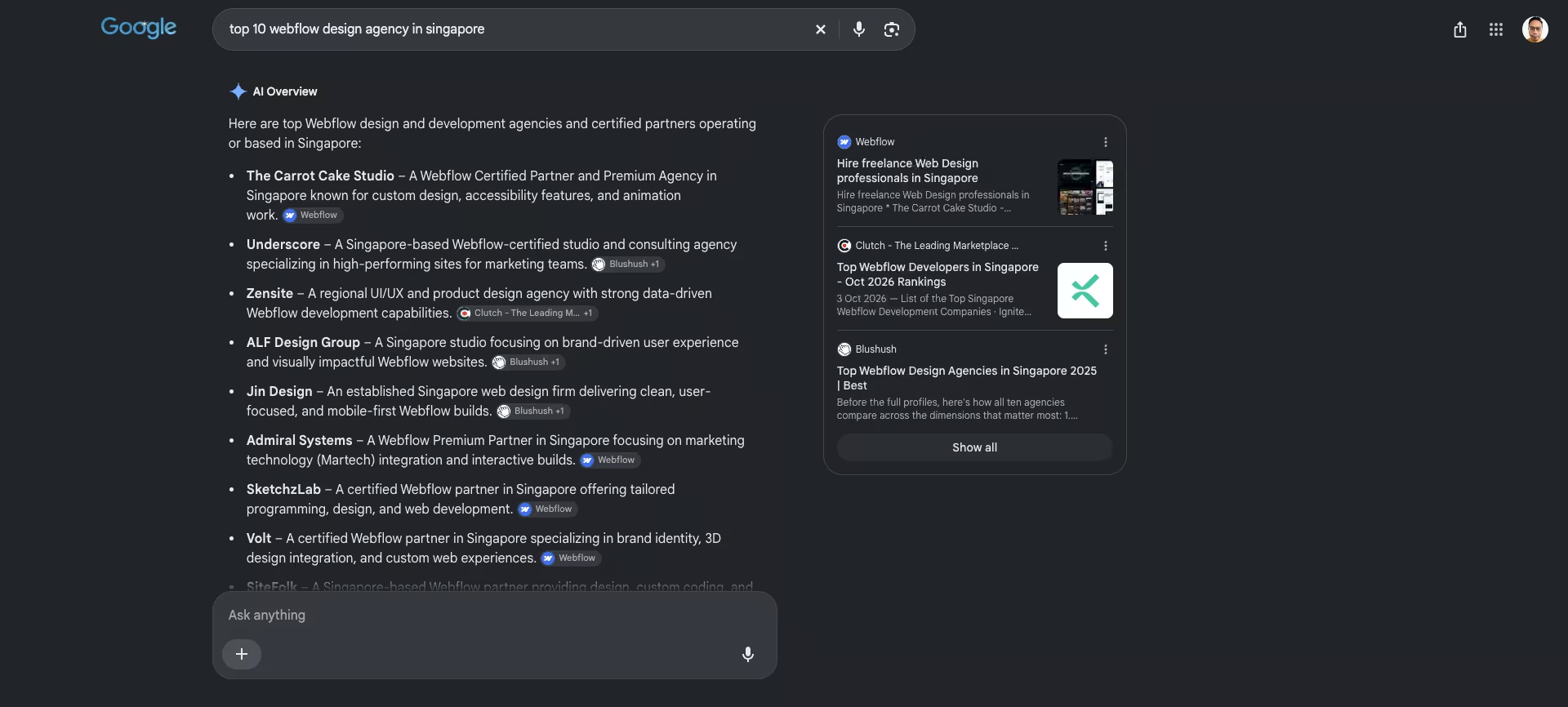
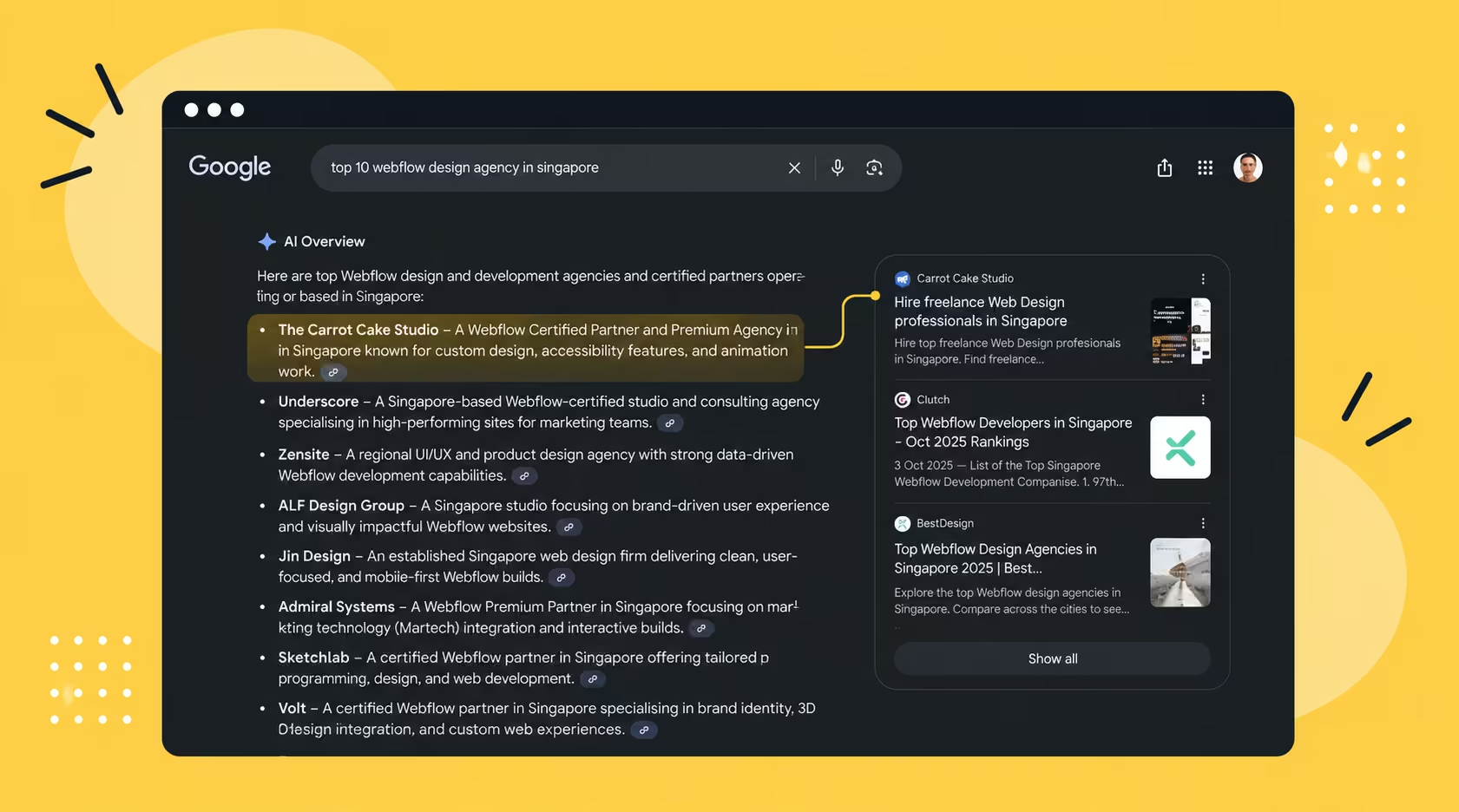
An AI Overview is the generated summary at the top of some Google results. Your page can show up in three places inside it. It can be a cited source link, a quoted passage, or a named brand in the answer. Each placement gives a different amount of visibility, and a quoted passage usually earns the most attention.
Google also runs AI Mode, a separate conversational view for follow-up questions. Outside Google, ChatGPT, Claude and Perplexity cite sources too. The habits that earn a citation overlap heavily, so you do not need a separate plan for each tool. I cover the wider picture in my explainer on what AEO is.
This matters locally. A National University of Singapore Institute of Policy Studies survey of 3,713 adults found that over 60% use AI chatbots. Of those users, 81.2% use them to look up information, reviews or recommendations, according to Malay Mail.
What Does Google Say You Need to Appear?
Google's own guidance is short. A page needs to be indexed and eligible to appear with a snippet in Search. There are no extra technical requirements, and no special markup or files. The details are in Google's page on AI features and your website.
AI Overviews rely on Googlebot, the same crawler as normal Search. Google-Extended is a different control. It covers whether your content is used for AI training and grounding in other Google products. Blocking it does not remove you from Search. Overviews also appear only where Google judges them additive.
There is one more useful detail. Google counts traffic from AI features in the normal Web report in Search Console. You do not need a separate tool to see it, though newer AI-specific reports are rolling out. In short, Google gives you no secret switch. It gives you the same rules as ordinary search, applied to a new format.
Who Gets Cited in AI Overviews, According to the Data?
Mostly pages that already rank well. An Ahrefs study of 1.9 million AI Overview citations found something simple. About 76% of cited pages also ranked in the organic top 10. That is a correlation, not proof of cause. It does point the same way as Google's advice.
A second Ahrefs analysis of brand visibility found that branded web mentions had the strongest link to appearing. The correlation was 0.664. Word count was close to irrelevant, at about 0.04. Length alone will not help you, so do not pad a page to look thorough.
On schema, Ahrefs reports no definitive evidence that it helps, and Google says it is not required. I still use it, because it removes ambiguity for machines and costs little. Treat it as cheap insurance, not a guaranteed lever. I list it as a fast step, not an effective one.
For a Singapore SME, the lesson is practical. You do not need to beat large publishers on every topic. You need to rank for the specific questions your buyers ask, and be a name that other sites mention. Both are achievable with steady work.
How Do You Appear in AI Overviews, Step by Step?
I follow all seven steps below on my own site. None of them is a trick. Together they make a page crawlable, clear and credible. The first two are the fastest to do, because you can finish them in an afternoon. The rest take time to build, and they compound.
I rank steps 1 and 2 as the fastest, not the most effective. Google and Ahrefs both say schema is not proven. The slower steps do more work over time, so do not stop after the quick wins. Plan for both.
Step 1: Confirm Crawlers Can Reach Your Site
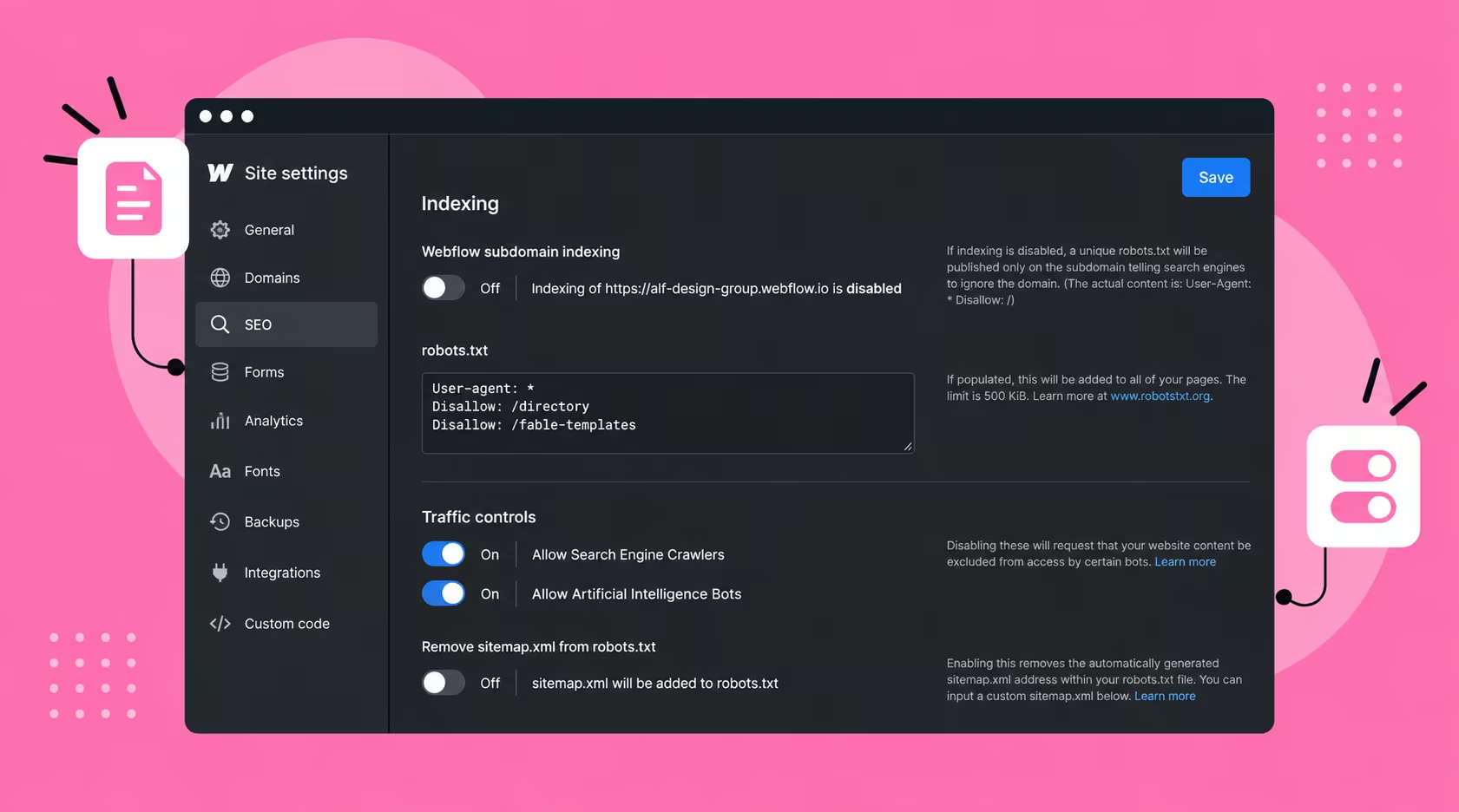
Check that nothing blocks Googlebot or the AI crawlers you care about. In Webflow, go to Site settings, then SEO, then Indexing. Under Traffic controls, confirm that Allow Search Engine Crawlers and Allow Artificial Intelligence Bots are both on. Then read the robots.txt box. To allow everything, the correct syntax is User-agent: * followed by Allow: /. A rule written as Allow: * is not valid.
Both toggles are on in my own settings. This is only a problem if someone has actively blocked bots. It is not the most common failure. Still, check it, especially on platforms other than Webflow, where I have not verified the defaults. Also confirm the page itself is not set to noindex, and that it can show a snippet.
Step 2: Add Schema Markup
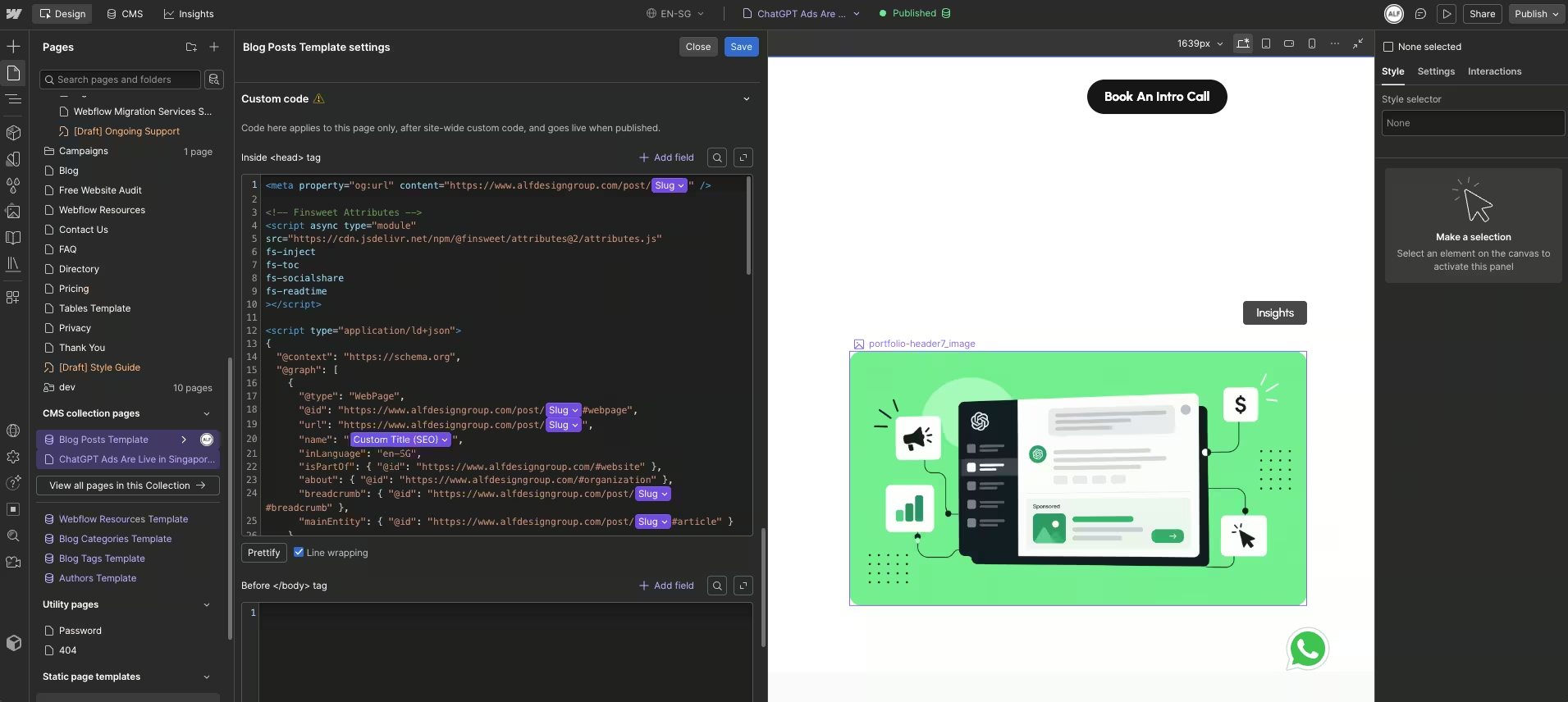
Schema labels what a page contains, such as an article or an FAQ. In Webflow, CMS content needs a custom code embed on each post. Site-wide schema can sit in a template, linked to your CMS fields. For the detail, read what schema markup does for visibility.
Step 3: Write Answer-First Content
Put the direct answer in the first sentence under each heading, then add depth. Keep answers to roughly 40 to 60 words so a tool can lift them whole. Writing FAQ sections that AI tools can quote shows the pattern in more detail.
A good test is to read your answer aloud with the heading removed. If it still makes sense on its own, a tool can quote it cleanly. If it begins with 'as mentioned above', rewrite it so it stands alone.
Step 4: Use Question Headings
Phrase most headings as real questions, the way people search or prompt. A heading that matches one query gives an answer engine a clean entry point. Keep each heading to a single question, and answer it directly in the lines below. Why search is moving from keywords to conversations explains the shift.
Step 5: Get the UX Basics Right
A slow, cluttered or confusing page is hard to trust, for readers and machines alike. Fast loading, a clear layout and readable text all help. Many of these signals are basic hygiene, such as mobile layout and readable text. I list the ones that matter in the UX signals that influence AI search rankings.
Step 6: Build a Topic Cluster
Cover one subject across several linked pages instead of one thin post. Each page answers a different question, and they link to each other. This is ordinary SEO work. It is why we treat AI visibility as part of our SEO service, not a separate one.
For example, a page on AI Overviews should link to your pages on schema, FAQs and tracking. Those pages should link back. Readers follow the path, and crawlers see that your site covers the whole subject, not just one angle.
Step 7: Build Brand and Entity Authority
Because branded mentions correlate most strongly with appearing, make your business easy to recognise. Use consistent names, publish real work, and earn mentions on other credible sites. Over time, that makes your brand the obvious answer to a question in your field. Building topic authority around entities goes deeper on this.
Why Do AI Overview Citations Fade?
In 2025, some of my pages were featured in AI Overviews. One was for "website design cost singapore", and another was for a piece on UX design. After a few months, they all disappeared. I never updated any of them, and I now think that is why.
My guess is that a competitor refreshed a page and replaced mine. I cannot prove it, because I cannot see inside Google. But the pattern fits. Stale pages lose ground to current ones, and AI answers favour whatever looks most current and complete.
The fix is not complicated. Refresh the page with current stats and what people want today. I have no fixed cadence to offer, because demand changes by topic. A guide to refreshing content for AI search covers how to decide.
Is an AI Overview Citation Worth It If Nobody Clicks?
For me, yes, though not for the reason most people expect. My featured pages earned high impressions but few conversions, because many users read the answer and leave. Judged on leads alone, the citations looked weak. I do not get many leads from AI citations, and I would rather say so plainly.
What they gave me was brand visibility and trust. When your name sits in the answer, people see you as someone who understands the topic better than most. That reputation helps later, when they search for you by name. Judge a citation by that, not by clicks.
There is a practical side too. I treat citations as brand work with a modest lead return, not as a lead engine. They build recognition first. Plan your time and budget that way, and you will not be disappointed by the click numbers.
A Worked Example: A Neighbourhood Barber
This is a hypothetical, not a client. Imagine a barber in Tiong Bahru who wants to appear when someone asks about haircut prices. Today the shop has one page, and its price list sits inside an image. A machine cannot read that image reliably.
I would turn that into a text page. The first line would give the price range and what it includes. I would add a small table of services, an FAQ about appointments and walk-ins, and local business schema. Then I would link it to a short guide on choosing a barber.
Finally, I would check that the page is indexed in Google Search Console and review it each quarter. Prices change. A stale price is how a competitor page replaces yours. Upkeep matters as much as the first draft.
How Do You Track AI Overview Appearances?
Start with Google Search Console. AI feature traffic is counted in the Web report. Google has begun rolling out dedicated generative AI reports to some sites, so check whether yours is among them. Bing Webmaster Tools also has an AI Performance report in public preview, showing Copilot citations.
Then check by hand. Search your target questions in Google, ChatGPT, Claude and Perplexity, and note whether your pages appear. Repeat monthly, because answers shift from week to week. Paid tools such as Ahrefs and Semrush can track more platforms if you want to pay for it. For the numbers worth watching, see the AEO metrics that matter.
The most useful tracking for me is the enquiry source. I added a small custom-code snippet in Webflow that records where a visitor came from when they submit a form. It is a simple source UTM, nothing fancy. That is how I confirmed a lead from ChatGPT.
Frequently Asked Questions
How long does it take to appear in AI Overviews?
There is no fixed timeline. A new or updated page must first be crawled and indexed, which can take days or weeks. After that, appearing depends on competition for the query. Expect months for competitive topics, and keep the page current once it appears.
Do all searches trigger an AI Overview?
No. Google shows an Overview only where it judges the summary to be additive. Many navigational and very simple searches do not trigger one. Check your target questions directly, because an Overview that appears for one phrasing may be absent for another.
Can you trick an AI Overview?
Not reliably. Google says no special markup or files are required, and any gimmick may stop working or hurt trust. The dependable route is a useful, accurate, well-structured page on a site that people recognise. Boring, steady work wins here, and that is good news for small teams.
Can small Singapore businesses compete?
Yes, on specific questions. A small business can write the clearest answer about its own services, prices and local context. Large sites rarely cover those details well. Start with questions your customers already ask, and answer them better than anyone else.
Conclusion
Start with four small actions. Check that your robots.txt is not blocking crawlers. Add schema to your key pages. Pick one page that matters, and rewrite it answer-first. Then put a date in your calendar to refresh it, so the citation does not fade the way mine did.
Do not expect instant results, and do not chase tricks. Most of this is solid SEO with a clearer page structure. Small, steady upkeep beats a big one-off project. When you are ready for a wider review, work through an AI search audit of your website.
{{build-better-experience="/directory"}}
Written By
.webp)
Resources
Related Articles
Deep dive into our latest news and insights.