
How Schema Markup Improves CTR and Search Visibility
Learn how schema markup tells search engines what your content means — and how it boosts CTR, rich results, and AI search visibility.
Table of contents
Free Website Audit
We'll personally review your website across 6 areas. UX, SEO, performance, mobile, conversion, and send you a detailed, actionable report within 48 hours. No cost. No catch.
Schema markup lifts click-through rate when Google shows it as a rich result, such as breadcrumbs or review stars. It does not change your ranking position. It will not earn AI citations on its own either. Google says no special markup is needed for AI features. What it does is label your pages clearly. Machines then read them correctly, and you stay eligible for the features that remain.
What Is Schema Markup?
Schema markup is code that labels what a page contains. It uses the shared vocabulary at Schema.org, which Google, Bing and other search engines read. You add it as a small JSON-LD script. It tells a search engine what each page is: an article, a business, or a question with an answer.
Structured data is the wider idea: any standard format that makes information machine-readable. Schema markup is the usual way to do it, using Schema.org terms written in JSON-LD. Google recommends JSON-LD because you can add it without touching the visible page. That makes it easy to manage in Webflow.
Labels matter because search engines otherwise infer meaning from your text. Markup removes the guesswork for details that are easy to misread. Examples are who wrote a page and which business owns it. It pairs well with writing around topics and meaning, not just keywords.
Does Schema Markup Improve Click-Through Rates?
Sometimes, and only through rich results. Schema is not a ranking factor, so it will not move you up the page. Google may read valid markup and show extra detail on your listing. Examples are breadcrumbs, star ratings and product pricing. A richer listing can earn more clicks at the same position.
Not every type still does this. Google stopped showing FAQ rich results on 7 May 2026, according to Search Engine Journal. They had already been restricted to a few sites since 2023. HowTo is also missing from Google's search gallery, which lists the types that still earn rich results.
So I would not promise a CTR lift from schema alone. Measure it. Compare clicks and click-through rate for the same pages before and after, using Search Console. Also remember that click-through rate and conversion rate measure different things. A better listing only helps if the page then does its job.
Which Schema Types Matter for a Singapore Business?
Choose types that match a real page and still do something. Some types still change how a listing looks in search. Others only add clarity for machines. This table shows where I would start, and the sections below explain each type.
Article and BlogPosting
Article and BlogPosting markup states the headline, author, publish date and publisher. On our blog, the schema reads these from CMS fields. Each post then carries the right author and dates without manual work. Keep the dates honest. A date that changes without a real update tells search engines nothing useful.
Organization and LocalBusiness
Organization markup names your business, logo, website and social profiles in one place. LocalBusiness adds your address, opening hours and service area. Together they help search engines connect your site to a single business entity. Put them on the homepage or in site-wide code, not on every article.
BreadcrumbList
BreadcrumbList describes where a page sits in your site, such as Home, Blog, SEO. Google can show that path under your listing instead of a long URL. It is one of the few types that still gives a visible change, and it is cheap to add. It also confirms how your categories fit together.
Service and FAQPage
Service markup describes what you offer and where. Google has no rich result for it, so treat it as clarity, not a CTR tactic. FAQPage is still valid Schema.org, and Google says existing FAQ markup is harmless. I keep it on posts with a visible FAQ section because it costs little. I do not count on it for clicks.
HowTo and Speakable
I would skip both. HowTo no longer appears in Google's gallery of rich results. Speakable is still in beta. Google's documentation says it works for US users with Google Home devices set to English. Neither suits a typical Singapore business site.
Does Schema Markup Help You Appear in AI Search?
Google says you do not need it. Its AI features guidance says there is no special Schema.org structured data to add for AI Overviews or AI Mode. A page only needs to be indexed and eligible to show with a snippet. Any structured data you do use should match the visible text.
Independent evidence is thin. A Search Engine Land experiment found that only the page with strong schema appeared in an AI Overview. The authors called the result promising but inconclusive. It tested three small pages, so it cannot tell you what will happen on your site.
My view is that schema is cheap insurance, not a lever. It helps machines read your pages correctly, which supports everything else. The bigger gains come from clear answers, good content and being indexed. My guide to answer engine optimisation explains that order of work. The practical steps for appearing in AI results put it into practice.
How Do You Add Schema Markup in Webflow?
Webflow has no built-in schema editor, but custom code embeds handle JSON-LD well. The main skill is placing each block at the right level. Schema that applies to the whole site goes in site-wide code. Schema that differs by post goes inside that post. This sits alongside your wider Webflow SEO setup.
Step 1: Match the type to the page
Blog posts get BlogPosting. The homepage gets Organization and LocalBusiness. Service pages get Service and BreadcrumbList. A post with a visible FAQ section can add FAQPage. Mismatched markup helps nobody. Only mark up what the page really contains, and keep the text identical to what readers see.
Step 2: Write the JSON-LD
Here is a minimal FAQPage block for a post with two visible questions. Replace the text with your own questions and answers. Keep them short and accurate, and match the visible FAQ on the page word for word where possible.
<script type="application/ld+json">
{
  "@context": "https://schema.org",
  "@type": "FAQPage",
  "mainEntity": [
    {
      "@type": "Question",
      "name": "What is schema markup in SEO?",
      "acceptedAnswer": {
        "@type": "Answer",
        "text": "Schema markup is code that labels what a page contains, using the Schema.org vocabulary."
      }
    },
    {
      "@type": "Question",
      "name": "Does schema markup improve rankings?",
      "acceptedAnswer": {
        "@type": "Answer",
        "text": "No. It can improve how a listing looks, but it does not change ranking position."
      }
    }
  ]
}
</script>
Step 3: Place it at the right level
BlogPosting can live in the post template, with CMS fields filling the headline, author and dates. FAQPage differs for every post, so it needs a code embed inside that post's body. Site-wide types such as Organization go in the site settings under custom code. Never put post-level schema in a global head, or it fires on every page.
Step 4: Validate before you publish
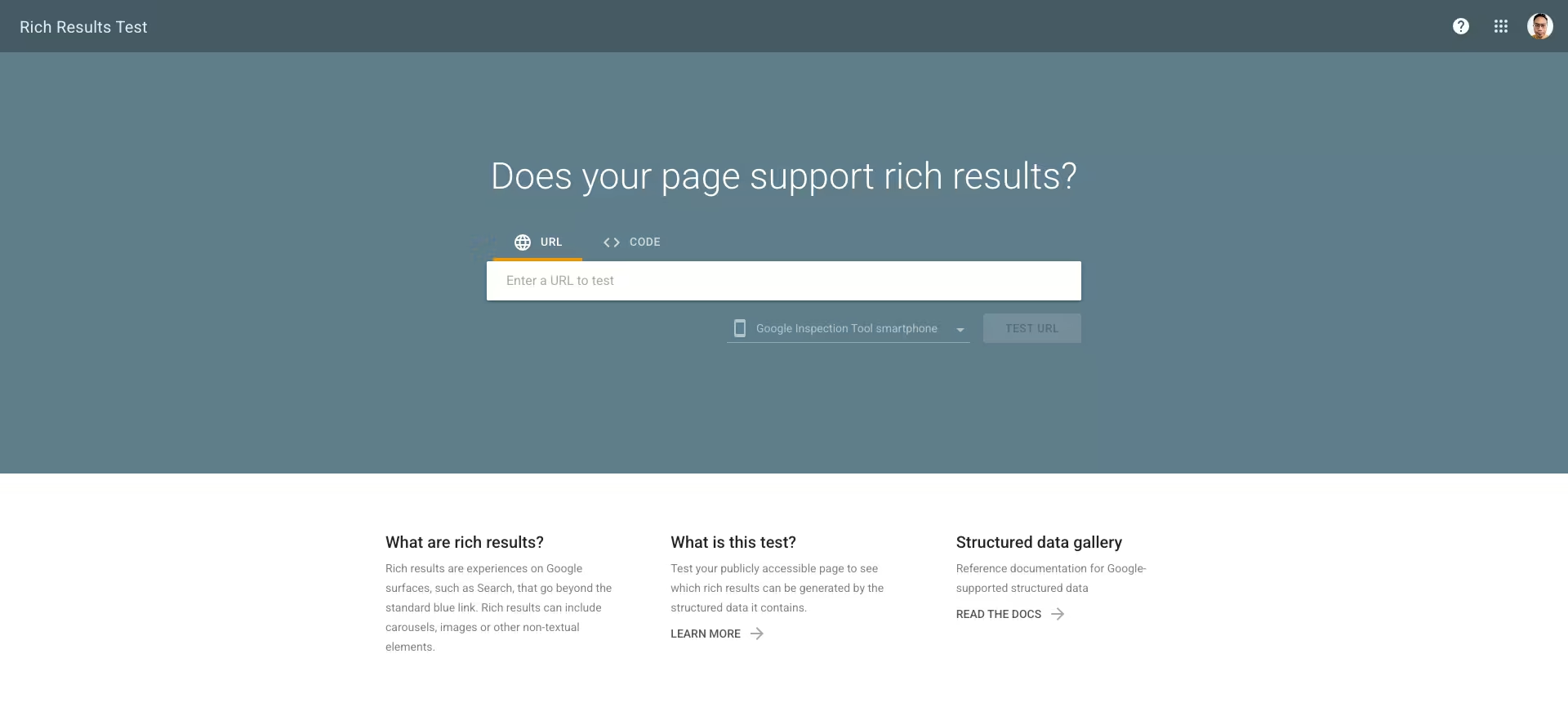
Run every block through the Schema Markup Validator. It checks any Schema.org type. For types Google supports, such as breadcrumbs, also use Google's Rich Results Test. A single missing comma breaks the whole block, so never skip this step. Fix every error before you publish.
Step 5: Monitor in Search Console
Search Console reports on the rich result types Google supports. Check those reports monthly and fix errors as they appear. Invalid markup earns nothing, and it can trigger warnings. Add the check to your regular maintenance routine so schema does not drift as pages change.
What Schema Mistakes Should You Avoid?
Schema is unforgiving, because invalid or misleading markup is ignored. In the worst case, it triggers a Google manual action. These are the mistakes I see most often. Each one is easy to avoid once you know to look for it, and most take minutes to fix.
- Marking up hidden content. Schema must describe what readers can see. Google's structured data guidelines say violations can lead to a manual action, which removes rich result eligibility.
- Using the wrong type. Do not add FAQPage to a page with no FAQ, or Product to a service. Mismatched markup confuses crawlers and misleads users.
- Skipping validation. One syntax error invalidates the block. Test before every publish.
- Putting post schema in the global head. It then fires on every page, including the homepage, and sends conflicting signals.
- Never reviewing it. Google retires features, and FAQ rich results are the clear example. Review your markup yearly as part of an AI SEO audit.
Schema on the ALF Design Group Site
On our own site, BlogPosting schema is a template that reads the headline, author and dates from CMS fields. Organization schema sits in site-wide custom code. Posts with a visible FAQ section carry a FAQPage block in a code embed. I validate each block before publishing.
I treat it as housekeeping, not a growth lever. The work that moves rankings is still the content, the internal links and getting pages indexed. Schema is one line in our technical SEO maintenance routine, and part of how we approach SEO for Singapore businesses.
Frequently Asked Questions
How do I check if my website has schema markup?
Open a page, view its source and search for "application/ld+json". Any JSON-LD blocks will show up. You can also paste the page URL into the Schema Markup Validator, which lists every type it finds. Check your key pages separately, because homepage markup does not carry over to blog posts or service pages.
Should I add schema markup to category or collection pages?
Yes, but keep expectations low. BreadcrumbList is the useful one, because Google can show the path in results. CollectionPage and ItemList are valid Schema.org types, but Google shows no rich result for them on category pages. Online shops get more from Product markup on the product pages themselves.
Can schema markup hurt my SEO?
Not if it is accurate. Invalid markup is simply ignored. Markup that describes content readers cannot see can trigger a manual action. Google says that action removes rich result eligibility but does not affect web search ranking. Keep markup honest and matched to the visible page, and the risk stays small.
Can I use AI to generate schema markup?
Yes, for a first draft. AI tools write JSON-LD quickly, but they also invent properties and mark up text that is not on your page. Treat the output as a starting point. Compare it against the visible content, then validate it before it goes live.
How long does schema markup take to show up in Google?
Google has to recrawl the page before it can read new markup, which can take days or weeks. Requesting indexing in Search Console can speed that up. Even valid markup is not guaranteed to produce a rich result. Judge it by what Search Console reports, not by a deadline.
Does schema markup help local SEO in Singapore?
A little. LocalBusiness markup confirms your name, address and hours on your own site. Google builds map results mainly from your Google Business Profile, so complete that first. Our guide to local SEO in Singapore covers what moves local rankings.
Conclusion
Schema markup is worth adding, but only for what it does. It can improve your listing through breadcrumbs, reviews and product details. It helps machines read your pages. It will not rank a page, and Google says it is not needed for AI features.
Start with Organization, BlogPosting and BreadcrumbList. Validate each block, and review them once a year. Then put the time you saved into clearer answers and better content. If your markup is sound and pages still struggle, check your site structure and indexing next.
{{build-better-experience="/directory"}}
Categories
Written By
.webp)
Resources
Related Articles
Deep dive into our latest news and insights.