Responsive vs Adaptive Web Design: What’s the Difference?
Responsive vs adaptive web design: how each works, the SEO and cost trade-offs, and how to choose in 2026.
Table of contents
Free Website Audit
We'll personally review your website across 6 areas. UX, SEO, performance, mobile, conversion, and send you a detailed, actionable report within 48 hours. No cost. No catch.
Responsive and adaptive web design solve the same problem, making a site work on every screen, in opposite ways: responsive uses one flexible layout that reflows to any width, while adaptive serves several fixed layouts, each designed separately, and switches between them by device. For almost every site built today, responsive is the right default, easier to build, cheaper to maintain and lower-risk for SEO. Adaptive keeps a real but narrow place, legacy migrations, device-specific interactions and performance-critical builds, but because you design and maintain a separate layout for every device, it is materially more design work, both up front and every time the site changes.
Responsive and adaptive are the two ways a website is built to work across devices, and the labels get used loosely. This piece explains what each one actually means, in plain terms whether you are a designer or a business owner, and then helps you decide which your site should use, including what choosing adaptive really commits you to. How you actually build a responsive website well, the mobile-first method, performance and the modern techniques, is a separate topic from the one this piece settles.
The Core Technical Distinction
Before comparing them, it helps to be precise about what each one actually is.
Responsive web design
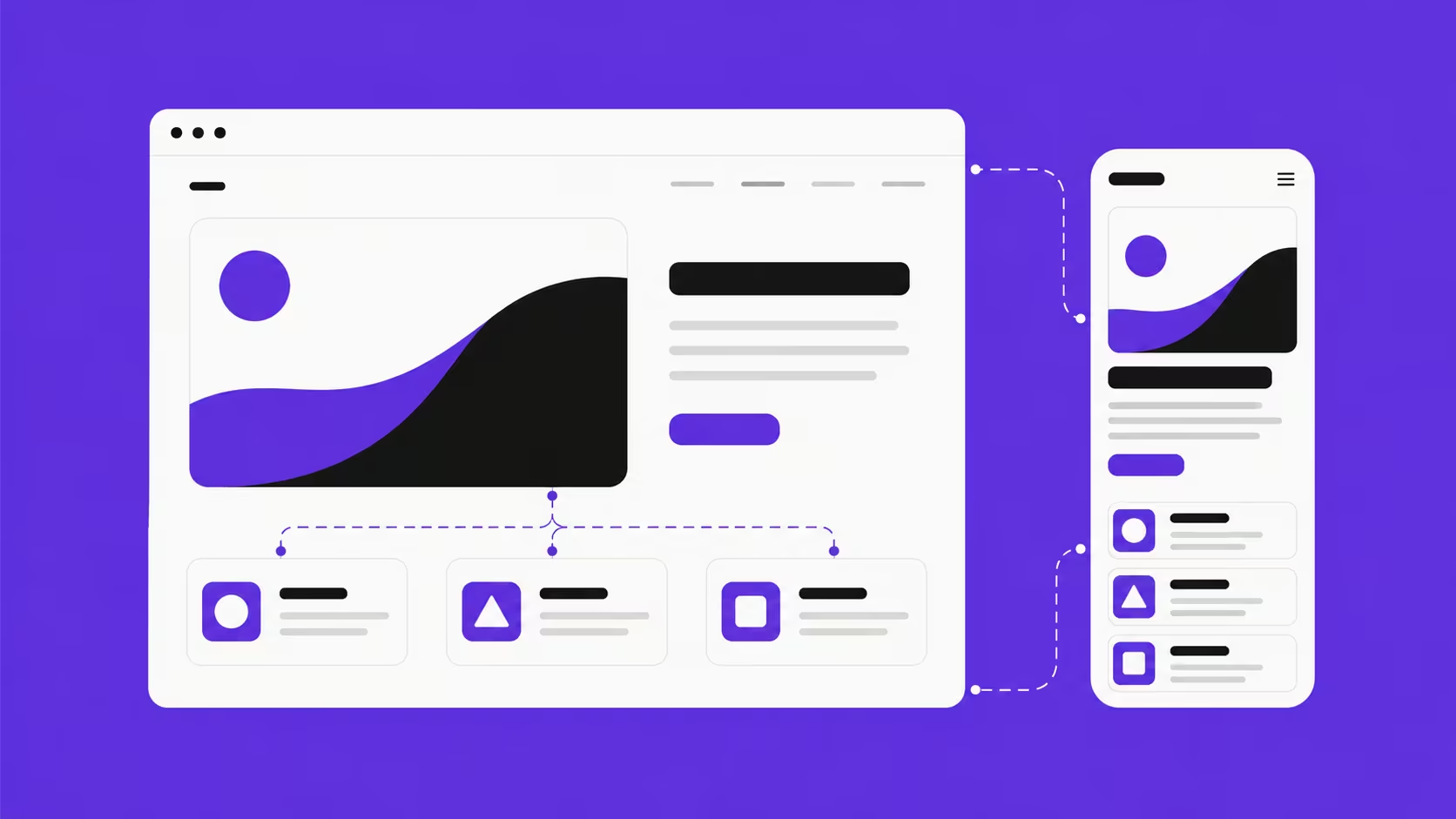
Responsive design means building one layout that stretches and reflows to fit any screen. Technically it uses a single HTML document with a flexible grid, fluid images and CSS media queries, so as the screen resizes the layout reflows, elements resize, stack or rearrange, while the content stays the same. You design one layout, and it flexes to fit everything, drag a browser window narrower and a truly responsive site reflows smoothly, with no jumps. One design, one codebase, one URL for every device.
Adaptive web design

Adaptive design means building several separate layouts, one for each device or screen size you want to support, and serving the right one based on the device it detects. Instead of one design that flexes, you have several fixed designs, and the site switches between them at set breakpoints. That gives you precise control, you can shape each device experience deliberately, even show different content or interactions, but it also means you design a distinct layout for every device and then keep every one of them in sync. In practical terms, that is materially more design work, both to build and to maintain.
So the practical takeaway is this: responsive is one layout to design and look after, adaptive is several. The choice is not only technical, it is a commitment of design effort. Responsive suits almost everyone, and adaptive is worth that extra work only when you have a specific reason that justifies designing and maintaining multiple layouts.
Responsive vs Adaptive: Comparison at a Glance
How to Tell the Difference in Practice
Want to know which approach a site uses? The browser resize test is the quickest tell: open it on desktop and drag the right edge slowly inward. If the layout reflows continuously as you drag, it is responsive; if it holds its shape then snaps to a new arrangement at certain widths, it is adaptive or breakpoint-based.
That said, the line matters less than it used to. Most modern builds are responsive but use defined breakpoints, so they shift at specific widths rather than reflowing pixel by pixel. For a business decision, the distinction that counts is not fluid versus snapping, it is single-codebase versus multi-template.
The SEO Implications
SEO is one of the biggest practical reasons to choose one over the other, and it is where their risk profiles diverge. Responsive is Google's recommended approach for mobile: one URL with consistent content across devices, so there is no ambiguity about which version to index and no content-parity or duplicate-content worries. Adaptive can match it, but it adds risk, if device versions differ, Google may index one and miss the other, and separate mobile URLs need canonical tags and coordinated link equity to stay clean. A well-built adaptive site does not rank worse than a well-built responsive one; the difference is the margin for error, responsive forgives imperfect implementation while adaptive demands deliberate governance.
Performance Considerations
Performance is the one area where adaptive can genuinely beat responsive, but only under specific conditions. Because it serves a different layout per device, you can send mobile a truly lighter page rather than a desktop-weight one that hides things with CSS. In practice the advantage is usually theoretical: a well-optimised responsive site, with correctly sized images, lazy loading and few render-blocking resources, matches or beats a poorly optimised adaptive one, and optimising a responsive site well is far more achievable than maintaining device-specific performance across templates. Do not pick adaptive for speed alone unless you have the engineering capacity to realise it.
What Changed by 2026
Two shifts have tilted the balance further towards responsive. The range of screens keeps expanding, foldables, large tablets, embedded browsers, smart displays, and responsive copes with that spread because it adapts to whatever turns up rather than to named device categories, so an adaptive system designed for the devices of a few years ago often needs rework to fit today's. And maintenance cost compounds: as a site grows, every new content type and every change has to be applied across each device template, so for most teams the real argument against adaptive is not that it fails, but that it gets steadily harder to keep consistent.
Which Approach Is Right for Your Project?
Five questions clear up most of the decision.
1. Building new, or retrofitting an existing site?
For a new build, responsive is the right default almost every time: cleaner codebase, lower maintenance, no legacy constraints to justify the complexity. Retrofitting a large, established site with organic traffic you cannot risk is the main case where adaptive can be the pragmatic path.
2. Do you genuinely need different content by device?
Responsive adapts presentation, not content. If mobile users genuinely need different content, features or interactions rather than a reflowed version of the same page, adaptive may be justified, but that is a deliberate decision, and most sites are better served by a responsive layout with a mobile-appropriate hierarchy.
3. Can your team maintain multiple layout systems?
Adaptive is an operational commitment: every update has to stay consistent across every device template. Without the capacity and governance to hold content parity over time, an adaptive site degrades faster than a responsive one, so be honest about that before taking it on.
4. What is your SEO risk tolerance?
If organic search is a primary channel, responsive's lower risk profile is a real advantage. Adaptive can be made SEO-safe, but it takes deliberate implementation and ongoing governance to get there.
5. Is there a hard performance constraint adaptive would solve?
If performance is a firm constraint, poor-connectivity markets, or very heavy content you cannot optimise further, adaptive asset delivery may earn its complexity. For users on 4G and 5G, a well-optimised responsive site hits the targets without it.
Why Most Modern Sites Choose Responsive
The real reason most new sites go responsive is not that adaptive is always worse. It is that responsive produces good outcomes across a far wider range of build quality. A well-built responsive site is fast, maintainable and consistent everywhere, and a poorly built one is still recoverable; a poorly governed adaptive site accumulates parity problems, design drift and SEO debt that gets expensive to fix. That asymmetry is why responsive sits at the centre of good web design practice, and why Webflow is built around it, letting you make an explicit decision at every breakpoint so mobile is designed rather than merely adapted.
Frequently Asked Questions
Can a website use both responsive and adaptive approaches?
Yes, and most modern sites do. The layout is built responsively, one flexible codebase, while asset delivery borrows adaptive techniques: serving different image sizes via srcset, or different script bundles by device capability. You get responsive's simplicity for layout and content, plus adaptive's performance edge for assets.
I inherited an adaptive site from a previous agency. Should I migrate to responsive?
Usually yes, though the urgency depends on how well the current setup is governed. If content parity is already slipping, or your team struggles to keep the templates in sync, migrating sooner cuts the SEO and maintenance risk that compounds the longer you wait. If it is well-maintained and serving you, there is less rush, but plan for it, because the overhead only grows with the site.
What is the most common mistake when choosing between the two?
Picking adaptive because it sounds more custom or premium, without an honest look at whether the team can maintain multiple templates over time. Adaptive is an operational commitment, not a status upgrade, and choosing it without a specific reason tends to land you in content-parity problems and design drift within a year or two.
Conclusion
If you are choosing between the two, the honest shortcut is this: pick responsive unless you can name the specific legacy, content or performance reason that forces adaptive. If you cannot name it, you do not have it. And the choice matters less than what you do next, a responsive build made with desktop-first thinking, unoptimised images and broken breakpoints will lose to a well-built adaptive site on every measure that counts, so spend your effort on implementation quality, mobile-first from the first breakpoint, not on the label.
We build responsive sites in Webflow, designed mobile-first at every breakpoint rather than shrunk from desktop, which is part of why Webflow suits this kind of build. If you are weighing a new build or a redesign, that is what our web design services are for.
{{build-better-experience="/directory"}}
Categories
Written By
.webp)
Resources
Related Articles
Deep dive into our latest news and insights.