How to Protect Your SEO Rankings When You Redesign Your Website
How to keep your rankings through a redesign: map URLs, redirect before launch, monitor after.
Table of contents
Free Website Audit
We'll personally review your website across 6 areas. UX, SEO, performance, mobile, conversion, and send you a detailed, actionable report within 48 hours. No cost. No catch.
To protect your SEO rankings in a website redesign, map every existing URL to a new one before design starts. Keep URLs identical wherever you can, and add 301 redirects for any that must change. Test those redirects on a staging copy before launch. Then wait three to four weeks and compare your key pages in Google Search Console. Most ranking losses come from changed URLs and forgotten pages, not from the new look. Done in this order, a redesign usually causes only a short adjustment while Google reads your new pages.
Why Can a Website Redesign Hurt Your SEO?
A redesign hurts SEO when it changes what Google has already learnt about your pages. Google treats each URL as a page with its own history. Change the address, delete the page or rewrite its content, and that history has to be rebuilt. The new layout rarely does the damage.
The most common mistake I see is that designers treat a redesign as a UI and UX uplift. They miss that changing URLs is a major SEO event, especially when the client has used those addresses for years. This matters most for CMS content such as blog articles. Business owners do not know to ask.
I saw this with an old client. Their traffic dropped after the redesign, then recovered significantly. I put both the drop and the recovery down to the niche market they were in. Treat that as one case, not a rule, because a bigger site with more competitors can behave very differently.
Which Redesign Changes Carry the Most SEO Risk?
Not every change is equally risky. Use this table to decide where the care goes.
Before the Redesign: Get Your Data and Map Every URL
Get Search Console Access and Find Your Top Pages
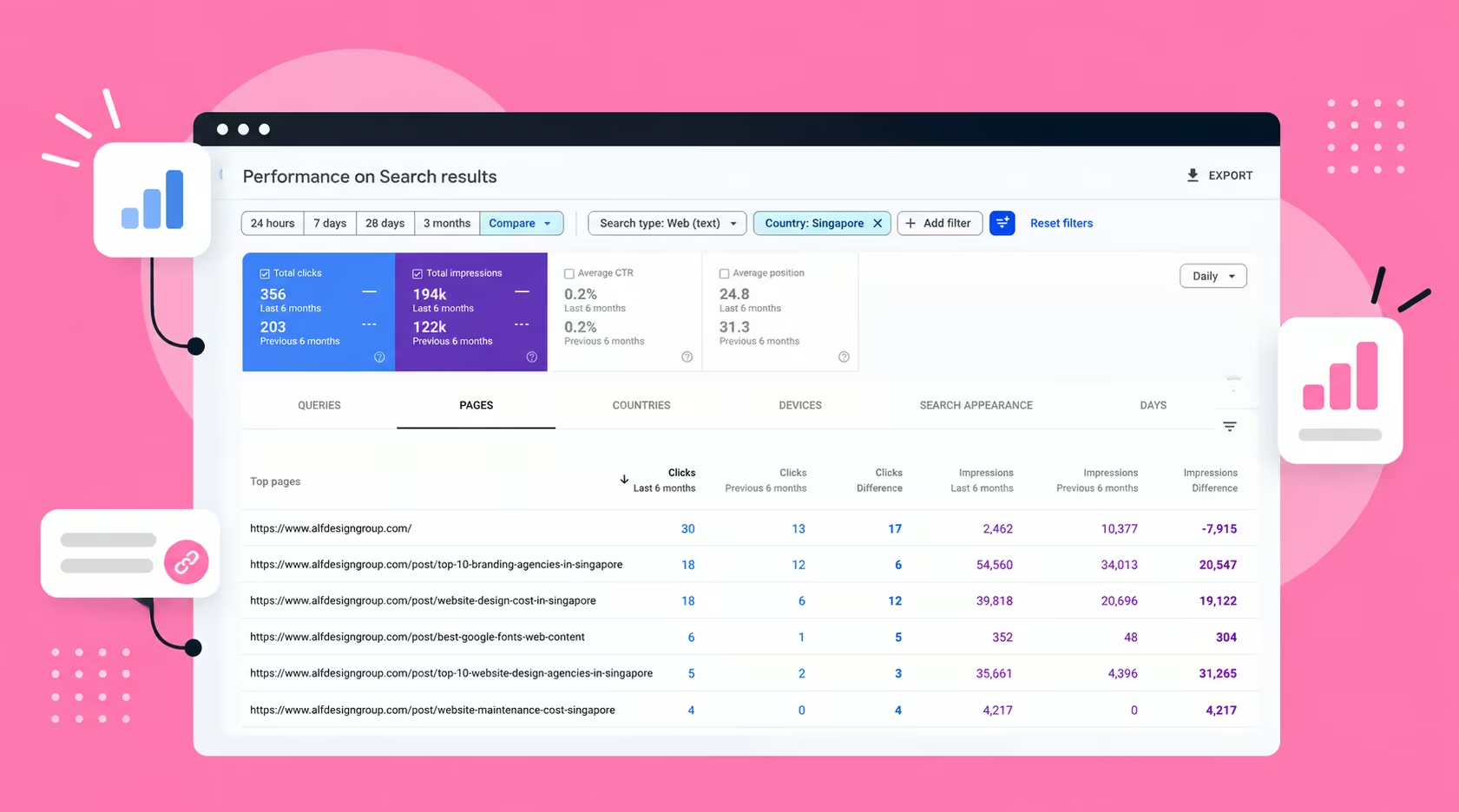
Ask for Search Console access before any design work begins. We request it from every client. It shows which pages earn the most traffic, and that is where the UX design starts. Protect those pages first, then redesign them to convert more of the visitors they already attract.
Choose Keywords for the New Pages
A redesign is the right moment to decide which keyword each page should target. Owners often skip this step and leave it to placeholder copy. Write down one primary keyword per page before layout starts. That keeps the new structure aligned with what people actually search for.
Crawl the Old Site and Build a URL Map
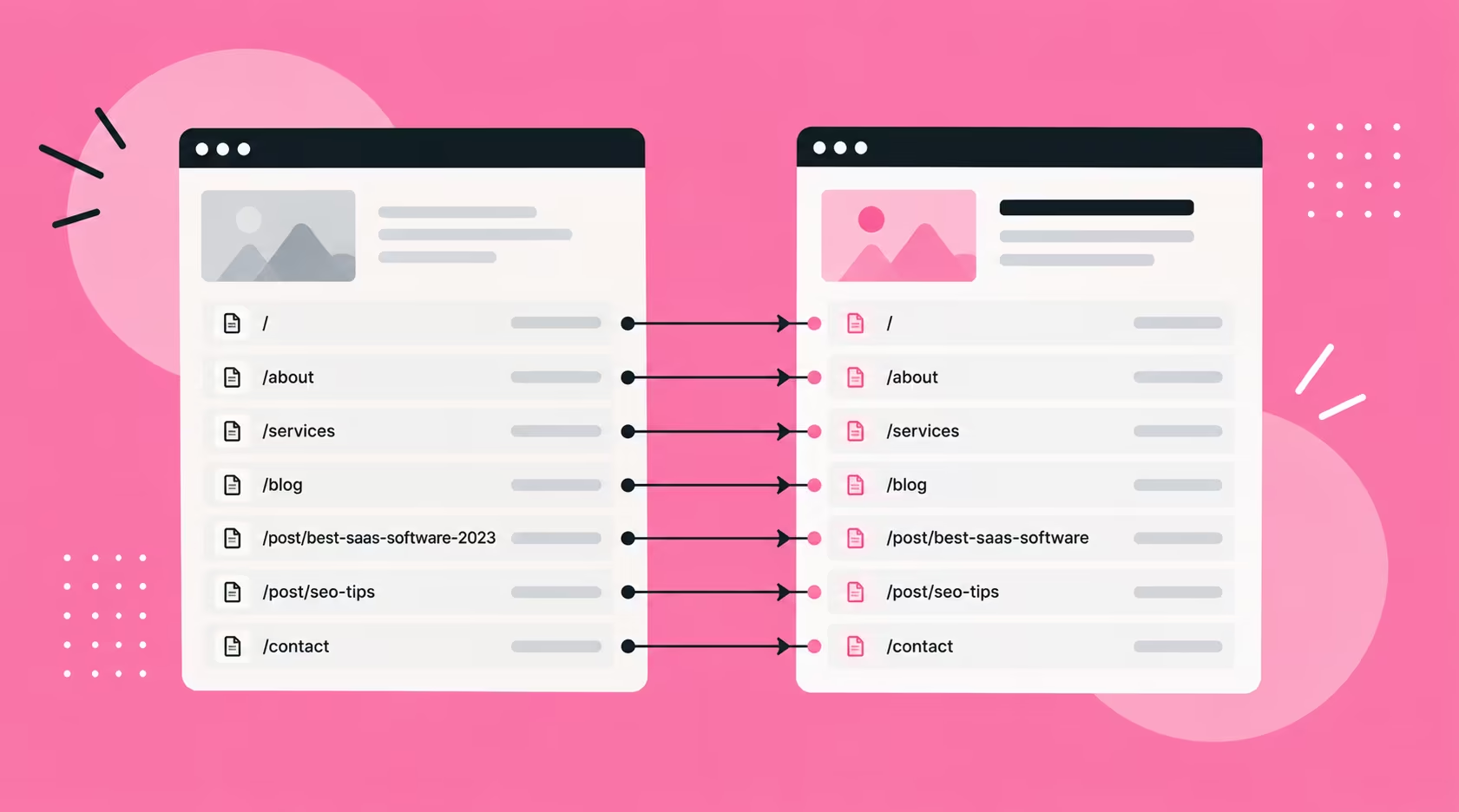
Crawl the live site with a tool such as Screaming Frog and export every URL. Add each page's traffic from Search Console beside it. This becomes your URL map, and every row needs a decision, even if the decision is to keep the URL.
Decide What to Keep, Merge or Retire
Not every page deserves a place on the new site. Pages with no traffic and no inbound links can be retired. Two pages that compete for the same topic can be merged into the stronger one. Whenever you remove or merge a page, redirect it to the closest relevant page, never to a random one.
Should You Change Your Domain, CMS and Design at Once?
No. Google advises changing one thing at a time, as set out in Google's guidance on site moves. A new domain, a new CMS and a new layout should happen separately. Then any drop has one clear cause.
My order is the domain first, if the client wants a new one. Then I lay out the CMS architecture, such as moving from WordPress to Webflow. Only then do I redesign the website. If the domain is staying, you skip the first step and the project has fewer moving parts.
Domain moves carry the highest risk. One agency study, reported by Search Engine Journal, tracked 892 domain migrations. It found an average of 523 days for the new domain to match the old one's organic traffic. That figure is an upper bound for domain changes, not what a redesign on the same domain should cost you.
Drop Dates From Long URLs
A redesign is also the moment to tidy long or dated URLs. If a slug reads best-saas-software-2023, I encourage clients to drop the year and use best-saas-software. Put the year in the meta title instead. The URL then stays valid for years, and you refresh the title, not the address.
How to Keep Your URLs and Redirects Safe During the Build
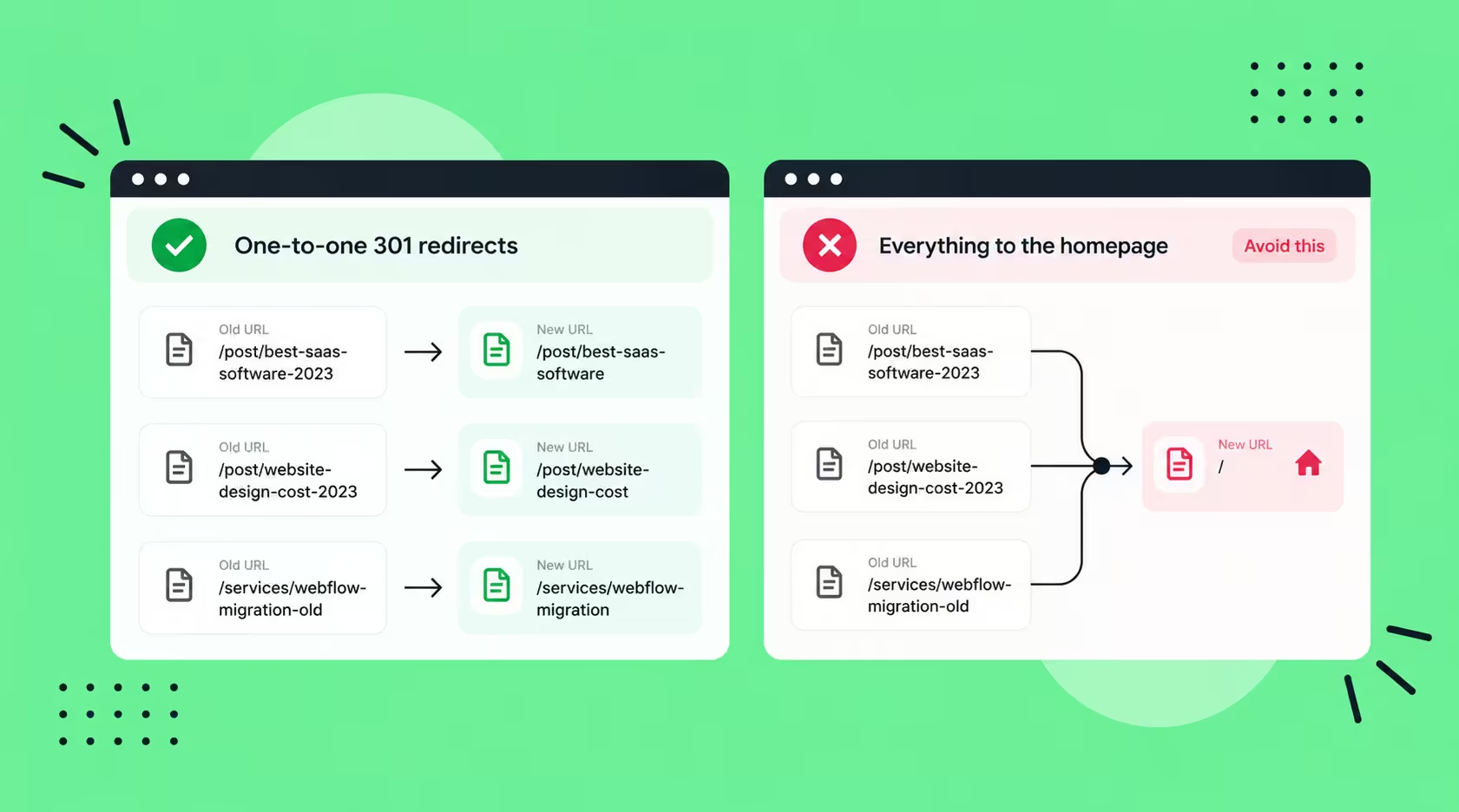
The safest URL is the one that does not change. Leave every address that already ranks untouched. Where an address must change, add a one-to-one 301 redirect to the closest matching page. Redirecting everything to the homepage wastes the page's history.
We did this when moving Partipost to Webflow, a site with more than 900 articles. I mapped the old URLs to the new ones and kept them identical, instead of creating new URLs. Traffic did not drop significantly. There was a short adjustment while Google read the new pages. The Partipost Webflow migration case study shows how the project ran.
Where a URL must change, make the new one short, lowercase and readable, with hyphens between words and no dates. Avoid redirect chains, where one redirect points to another. Update internal links to point straight at the new URLs, so visitors and crawlers reach the page in one step.
Keep your redirects live for as long as possible. Google generally advises at least one year, and longer is better for pages with strong history. Block the staging site from indexing, then test every redirect there before launch. Check that each page carries over:
- Title tags and meta descriptions.
- One H1 and a clean heading structure.
- Internal links, with no links to old URLs.
- Structured data and image alt text.
- The copy that earns your top pages their traffic.
Launch Day Checklist
Launch day is when small oversights become ranking problems. Work through these checks before you announce the new site:
- Every redirect returns a 301 and lands on the right page.
- No noindex tag or robots.txt block has carried over from staging.
- The XML sitemap lists the new URLs and is submitted in Search Console.
- Canonical tags point to the live URLs.
- Your top pages from Search Console are inspected and indexing is requested.
Run the checks on a phone as well as a desktop. A page that loads slowly on mobile can lose ground even when the redirects are perfect. Spot-check your five highest-traffic pages by eye as well as by tool.
How Do You Monitor Rankings After a Redesign Launch?
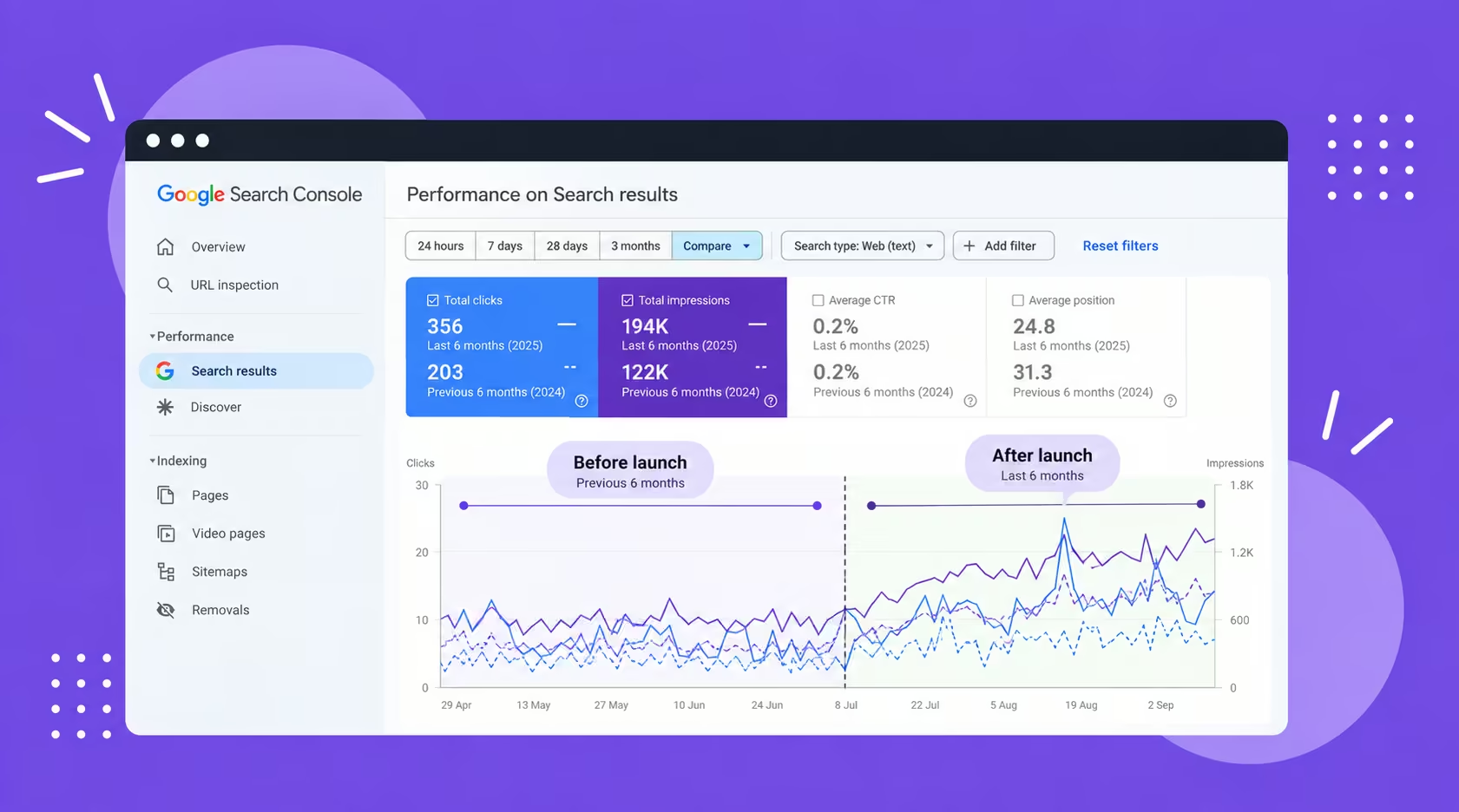
Wait three to four weeks, then compare your key pages in Search Console against the weeks before launch. Short dips are normal. Google says visibility may fluctuate during a move, and that small to medium sites typically settle within weeks. I check more often out of habit, but the real read comes after that window.
Compare the same pages across the same length of time. Look at these measures:
- Clicks and impressions for your top pages.
- Average position for the keywords you chose.
- The number of indexed pages.
- Conversions on the redesigned pages, since that was the aim.
If a page declines, check three things in order. First, whether its redirect works. Second, whether its content changed. Third, whether it is indexed. Fix the cause before you judge the design. Start with the pages that earned the most traffic.
Check AI visibility too. Search Console has a Generative AI features report, and Bing's webmaster tools show which pages AI answers cite. On pages we have optimised, on our own site and a client's, AI-feature impressions have grown. Those were optimisations, not redesigns, so this is a check to run, not a promised result. If you want help through this window, here is how we handle SEO after a launch.
What Changes When You Migrate to Webflow?
Webflow places CMS items under a collection path such as /post/, which may not match your old WordPress permalinks. That means every blog URL needs mapping before launch. Static pages sit at the top level, so they are easier to keep identical.
Webflow lets you manage 301 redirects in site settings. It also gives you control of titles, slugs and schema on each page. That control is one reason teams move, as covered in Webflow SEO for Singapore businesses. It does not remove the need for the URL map.
What Should You Ask Your Agency Before You Sign?
Ask how they are planning the migration, if there is one. For example, a move from WordPress to Webflow. A good answer names a URL map, redirect testing on staging, and a monitoring window after launch. A vague answer is a warning.
Then put SEO into the brief itself. These questions make the scope clear:
- Which URLs will change, and why?
- Who builds the URL map, and who tests the redirects?
- Which keyword does each new page target?
- Who watches Search Console after launch, and for how long?
An agency that cannot answer these is not ready to touch your URLs. Ask for the answers in writing, so the plan is agreed before design starts. We scope the URL map first in how we run Webflow migrations, because everything else depends on it.
Frequently Asked Questions
How do you redesign a website without losing SEO?
Keep every URL that already ranks, and redirect any that must change to the closest matching page. Carry over titles, headings, internal links and schema, because they tell Google what each page is about. Test the redirects on staging, then check your key pages in Search Console after launch.
Does changing a website affect SEO?
It can, but not because of the visual change. The risk sits in what changes underneath: URLs, page content, site structure and loading speed. Change those carefully and Google usually needs only a short period to read the new pages. Change them carelessly and rankings can slip.
How long does a website redesign usually take?
It depends on page count, content readiness and how quickly approvals come back. Adding SEO work such as URL mapping and redirect testing lengthens the plan. It also protects the traffic you already have. Typical website project timelines in Singapore give you a realistic range to plan around.
How much does it cost to have a website redesigned?
Cost follows scope: the number of pages, the level of custom design, CMS content and integrations. The range of website design prices in Singapore is wide. Ask for URL mapping, redirects and post-launch checks as separate line items. That shows you what protects your rankings.
What is the most common SEO mistake in a redesign?
Changing long-standing URLs without a redirect plan. It happens because the project is briefed as a visual and UX uplift, so nobody owns the SEO side. The second most common mistake is not choosing target keywords for the new pages before the design starts.
Conclusion
This week, export your URLs and top pages from Search Console. Mark the addresses that must stay, and decide a keyword for each new page. Then ask your designer or agency how they plan to redirect everything else.
If a platform move is on the table, get the migration plan in writing before design starts. Once you launch, a monthly SEO maintenance checklist keeps the monitoring routine going well after the first four weeks.
{{build-better-experience="/directory"}}
Categories
Written By
.webp)
Resources
Related Articles
Deep dive into our latest news and insights.